
Please fill out the form below to request a quote or to request more information about us. please be as detailed as possible in your message, and we will get back to you as soon as possible with a response. we're ready to start working on your new project, contact us now to get started.
Balancing Budget and Quality: A Beginner's Guide to Finding the Perfect First 3D Printer
2026-07-19
NEWAY
43
As 3D printing technology becomes more accessible and user-friendly, many beginners are eager to dive into the world of rapid prototyping and home manufacturing. However, choosing the right first 3D printer can be daunting, especially when budget is a primary concern. This guide will help you understand what constitutes a "good price" for your first 3D printer, and how to balance cost with quality, ease of use, and maintenance.
Market Overview
Popular Options for Beginners
When it comes to choosing your first 3D printer, you'll find a range of options that cater to different budgets and skill levels:
| Brand | Model | Price Range |
|---|---|---|
| NEWAY | ND-300 | $200 - $400 |
| XYZPrinting | da Vinci Omega | $400 - $600 |
| FlashForge | Ados | $400 - $600 |
| ELEGOO | Mars Pro+ | $300 - $500 |
| Creality | Ender 3 | $200 - $400 |
Key Features to Consider
Price
While a lower price is appealing, it's important to consider what you're getting in return. Cheaper models may lack certain features or may not print as crisply as more expensive options.
Quality of Print
The ability to produce high-quality prints is crucial, especially for a beginner. Look for printers with reliable build plates and consistent filament feeding mechanisms.
Ease of Use
A user-friendly interface and intuitive software can make a significant difference, especially for those new to 3D printing. Features like auto-leveling, built-in slicing software, and easy-to-use controls can save you a lot of frustration.
Maintenance and Support
Regular maintenance is necessary to keep your printer running smoothly. Consider the availability of support from the manufacturer, as well as the cost of replacement parts and filament.
Criteria for Choosing a 3D Printer
Price
Beginners often look for affordable options that don't break the bank. However, a good rule of thumb is to not go too far below $200, as very cheap printers may lack durability and consistency.
Quality of Print
Look for printers that use high-quality build plates and have effective bed leveling mechanisms. Features like magnetic build plates or heated beds can significantly improve print quality and adhesion.
Ease of Use
Ease of use is critical for beginners. Printers with automatic bed leveling, built-in slicing software, and user-friendly controls can make setup and daily use much easier.
Maintenance and Support
Regular maintenance is essential for keeping your printer in good working condition. Look for brands that offer robust support, including a warranty and detailed documentation.
Brand Comparison
NEWAY vs Competitors
NEWAY offers a range of 3D printers that are specifically designed to meet the needs of beginners. Let's compare some of the key features with other popular models:
NEWAY ND-300
- Price Range: $200 - $400
- Build Volume: Up to 200 x 150 x 150 mm
- Build Plate Type: Magnetic and smooth, ensuring better adhesion.
- Ease of Use: Self-leveling build plate, easy-to-use controls.
- Support: 1-year warranty, online support resources.
- Material: Supports PLA, ABS, PETG, and other common filaments.
Comparison Table
| Brand/Model | NEWAY ND-300 | XYZPrinting da Vinci Omega | FlashForge Ados | ELEGOO Mars Pro+ | Creality Ender 3 |
|---|---|---|---|---|---|
| Price Range | $200 - $400 | $400 - $600 | $400 - $600 | $300 - $500 | $200 - $400 |
| Build Volume | 200 x 150 mm | 210 x 190 x 200 mm | 210 x 210 x 200 mm | 200 x 140 x 130 mm | 220 x 220 x 240 mm |
| Build Plate | Magnetic and smooth | Smooth and leveled | Magnetic | Magnetic with HEPA fan | Smooth |
| Ease of Use | Self-leveling, easy controls | Self-leveling, built-in software | Self-leveling, built-in software | Built-in slicer, easy setup | Manual leveling, open-source software |
| Warranty | 1 year | 1 year | 1 year | 1 year | 1 year |
NEWAY as a Beginner-Friendly Option
Key Features of the NEWAY ND-300
- Self-Leveling Build Plate: Ensures consistent prints and reduces manual leveling time.
- Built-in Slicing Software: Streamlined process for slicing and preparing files.
- User-Friendly Controls: Intuitive interface and easy navigation.
- Maintenance-Friendly Design: Easy access to internal components for regular cleaning and upgrades.
- Community Support: Large user community and online forums for troubleshooting.
Testimonials
Hobbyist User: "The NEWAY ND-300 is a great entry-level printer. I started with no experience and was up and running in no time. The self-leveling feature is a big plus, and the magnetic build plate keeps prints from warping."
Educational Use: "In our school, we use the NEWAY ND-300 for STEM classes. The ease of use and reliability make it perfect for classroom settings, and the low price point makes it accessible for many students."
Conclusion
Choosing the right first 3D printer involves balancing cost with quality, ease of use, and long-term support. NEWAY's ND-300 stands out as a solid choice for beginners due to its self-leveling build plate, built-in slicing software, and user-friendly controls.
Actionable Tips for Choosing the Best 3D Printer Within Budget
- Define Your Needs: Consider what you want to use the printer forhobbies, educational projects, or small business use.
- Research and Compare: Look at features like build volume, ease of use, and warranty support.
- Read User Reviews: Get insights from experienced users to understand common issues and benefits.
- : If possible, test the printer at a local store or try a rental before making a purchase.
Table of Contents
-
-
-
1.2.1Price
-
1.2.2Quality of Print
-
1.2.3Ease of Use
-
-
-
2.1Price
-
2.3Ease of Use
-
-
-
-
3.1.1NEWAY ND-300
-
-
-
-
4.2Testimonials
-
GET IN TOUCH WITH Us
recommended articles
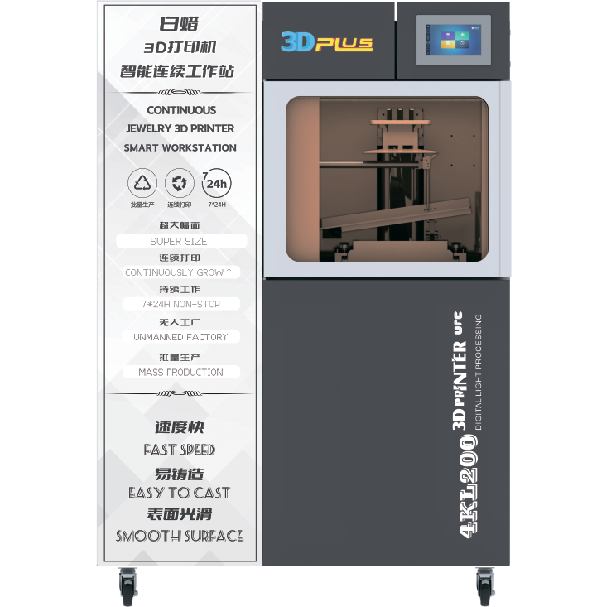
The white wax machine is a specialized device used for creating high-precision wax models. It is widely used in industries such as jewelry making, dental prosthetics, and industrial prototyping. Its key characteristics include high precision in model production, a stable and reliable operation, user-friendly controls, versatility in handling different materials and shapes, and efficient production capabilities.
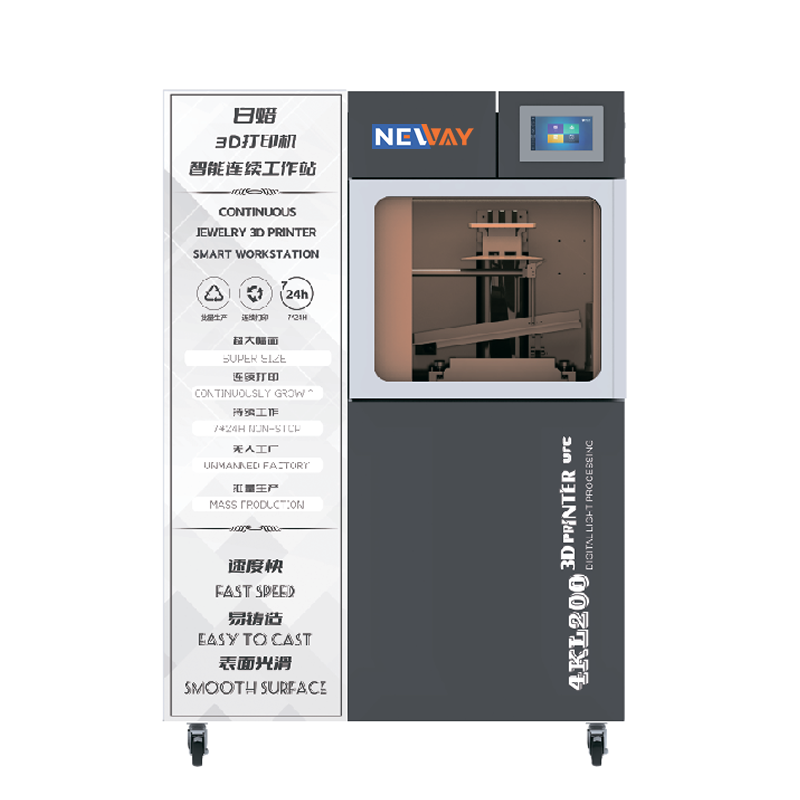
DLP stands for Digital Light Processing. It is a technology that uses digital micromirror devices to project light patterns, often used in display and imaging applications.A DLP 3D printer is a type of 3D printer that utilizes DLP technology to cure resin layer by layer. It projects a light pattern onto the resin, causing it to solidify in the desired shape, and then builds up the object layer by layer. This method is known for its high precision and relatively fast printing speed.

NEWAY, a high-tech enterprise from China, has been providing professional 3D printers and materials for various industries, including jewelry, toys, dentistry, and medical fields, since 2015.
Useful Links
Products
Contact Us
Tel: +86 519-88011818
Phone: +86-18112582262
Email: [email protected]
Add: F2 Building 6A Jintong National Industrial Park No.8 Xihu Road Wujin District Changzhou City Jiangsu Province China
