
Please fill out the form below to request a quote or to request more information about us. please be as detailed as possible in your message, and we will get back to you as soon as possible with a response. we're ready to start working on your new project, contact us now to get started.
Troubleshooting for Optimal Results on Any Large 3D Printer
2026-07-18
NEWAY
31
Large 3D printers have the capability to create intricate and large-scale objects, making them invaluable in various industries like rapid prototyping and manufacturing. However, achieving optimal results with a large 3D printer can be challenging. This article aims to provide you with comprehensive troubleshooting techniques to ensure your NEWAY large bed 3D printer operates smoothly and produces high-quality prints. Let's dive into the common issues and solutions that can help you get the most out of your large 3D printer.
Introduction
Warping
Warping is one of the most common issues in 3D printing, especially with large bed printers. Warping occurs when the edges of the print start to curl or detach from the build plate, leading to distortion and poor print quality. This issue is particularly prevalent in materials like ABS and PLA, which have significant thermal expansion and contraction characteristics.
Clogging
Clogging can occur in the nozzle or extruder, leading to inconsistent extrusion and failed prints. Clogs can be caused by various factors, including:
- Contaminated Filament: Impurities or debris in the filament can block the nozzle.
- Incorrect Filament Diameter: Using filament with the wrong diameter can cause irregular flow.
- Improper Cooling: Over-cooling can cause filament to stick and cause clogging.
Layer Adhesion Issues
Layer adhesion problems can result in cracks, gaps, or poor bonding between layers. These issues can be caused by a variety of factors, including improper bed adhesion, incorrect layer height settings, or insufficient adhesion material.
Reducing Warping on NEWAY Large Bed 3D Printer
Causes of Warping
Warping in 3D printing is primarily caused by thermal contraction of the print layer as it cools. When the edges of the print begin to contract, they lift off the bed, resulting in warping. This issue is exacerbated by factors such as improper bed leveling, incorrect bed temperature, and inadequate bed adhesion.
Temperature Calibration
To reduce warping, temperature calibration is crucial. The bed temperature should be consistent with the recommended settings for your filament material. For example, PLA typically requires a bed temperature of 60C to 70C, while ABS may need a higher temperature of 90C to 100C.
Bed Adhesion Techniques
Effective bed adhesion is fundamental to preventing warping. Here are some techniques to improve adhesion:
- Adhesive Materials: Use materials like PEI (Polyetherimide), ABS juice, or Blu-Tack to create a strong bond between the print and the bed.
- Build Plate Surface Preparation: Clean the bed surface thoroughly and remove any residues. Use a scraper to level the bed surface for better adhesion.
- NEWAY-Specific Tips: The NEWAY printer has an advanced heating system that can be calibrated for optimal performance. Ensure the bed is evenly heated and free of hot spots.
Bed Leveling Adjustment
Proper bed leveling is essential to ensure uniform adhesion across the entire print bed. Follow these steps to adjust your bed:
- Manual Levelling: Use a digital setting knob to manually adjust each corner of the bed. The bed should be evenly levelled for consistent adhesion.
- Auto Levelling: Utilize the NEWAY's advanced auto-leveling feature to automatically adjust the bed level. This ensures uniformity and reduces manual intervention.
Best Cooling Settings for Tall Prints on NEWAY
Importance of Cooling
Cooling is a critical factor in 3D printing, especially with tall prints. Proper cooling ensures consistent layer adhesion and prevents distortion. Incorrect cooling can lead to issues such as poor layer adhesion, delamination, and inconsistent print quality.
NEWAY's Cooling System
The NEWAY large 3D printer is equipped with a robust cooling system designed for large-scale prints. This system includes:
- Dual Cooling Fans: Each fan is positioned strategically to provide precise cooling.
- Advanced Cooling Channels: The printer has internal channels that help dissipate heat efficiently.
- Unique Design: The overall design of the NEWAY printer ensures optimal airflow and temperature management.
Fan Speeds and Locations
Effective fan positioning and speed settings are crucial for cooling tall prints. Here are some recommendations:
- Fan Speed: Set the fan speed based on the print material. For PLA, a fan speed of 25% to 50% is typically sufficient. For ABS, a higher fan speed of 75% to 100% may be required.
- Location: Position fans to cool the upper layers of the print. This helps prevent distortion and ensures good layer adhesion.
Thermal Management
Maintain a balance between cooling and heating to ensure consistent print quality. Here are some tips:
- Heat Bed: Adjust the bed temperature to match the cooling settings. For tall prints, a slightly lower bed temperature can help reduce thermal contraction.
- Cooling Channels: Utilize the internal cooling channels to cool the print bed efficiently.
Print Bed Temperature Adjustment
Adjusting the print bed temperature can significantly impact print quality. For tall prints, consider lowering the bed temperature slightly to reduce thermal contraction:
| Print Material | Recommended Bed Temp (C) |
|---|---|
| PLA | 60 - 70 |
| ABS | 90 - 100 |
| PETG | 80 - 90 |
NEWAY-Specific Cooling Features
The NEWAY printer offers several unique cooling features that set it apart:
- Dual Cooling Fans: These fans are positioned to provide precise cooling to different sections of the print.
- Advanced Cooling Channels: The internal channels help dissipate heat more efficiently, ensuring consistent cooling throughout the print.
- Unique Design: The overall design of the NEWAY printer facilitates optimal airflow, further enhancing cooling performance.
| Cooling Feature | Description |
|---|---|
| Dual Fans | Dual cooling fans for precise cooling |
| Cooling Channels | Internal channels for efficient cooling |
| Design | Optimized design for better airflow |
Additional Tips for Large 3D Printing
Print Setup and Filament Management
Efficient print setup and filament management are key to ensuring optimal print quality. Here are some tips:
- Filament Spool Placement: Position the filament spool in a way that allows smooth and uninterrupted feeding.
- Filament Diameter: Ensure the filament diameter is correct and consistent. Mismatched diameters can cause clogging.
- Filament Feeding: Use a feeder that ensures a smooth and consistent flow of filament.
Stress Testing
Stress testing your prints can help identify issues that may arise during printing. Here are some techniques:
- Crystallization: Pull out a small section of filament to observe any crystallization or annealing issues.
- Overhang Issues: Check for overhangs and consider adding support structures to prevent sagging.
- Annealing: Heat the printed part slightly to test its durability and flexibility.
Maintenance Tips
Regular maintenance is essential for keeping your 3D printer in top condition. Here are some maintenance tips:
- Extruder Cleaning: Regularly clean the extruder to remove any debris or clogs.
- Lubrication: Apply lubricant to moving parts to ensure smooth operation.
- Print Bed Consistency: Check the print bed for any imperfections or unevenness and make adjustments as needed.
Conclusion
If you encounter persistent issues, consider seeking professional advice or consulting the NEWAY user manual for more in-depth guidance. Regular maintenance and adherence to best practices will ensure your large 3D printer operates smoothly and reliably.
Table of Contents
GET IN TOUCH WITH Us
recommended articles
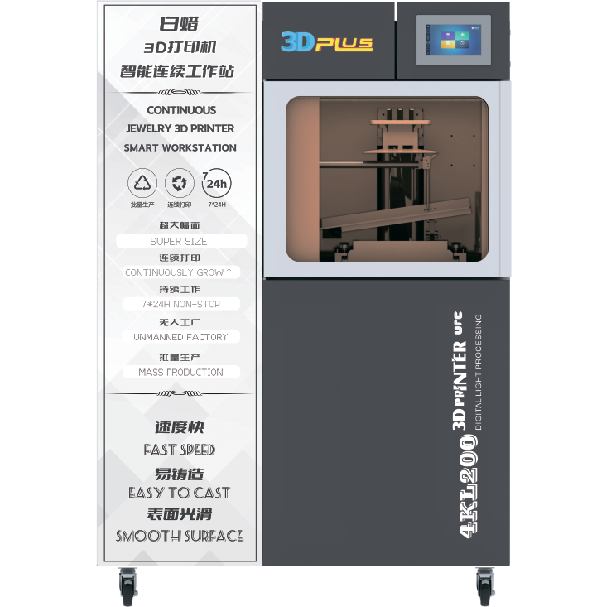
The white wax machine is a specialized device used for creating high-precision wax models. It is widely used in industries such as jewelry making, dental prosthetics, and industrial prototyping. Its key characteristics include high precision in model production, a stable and reliable operation, user-friendly controls, versatility in handling different materials and shapes, and efficient production capabilities.
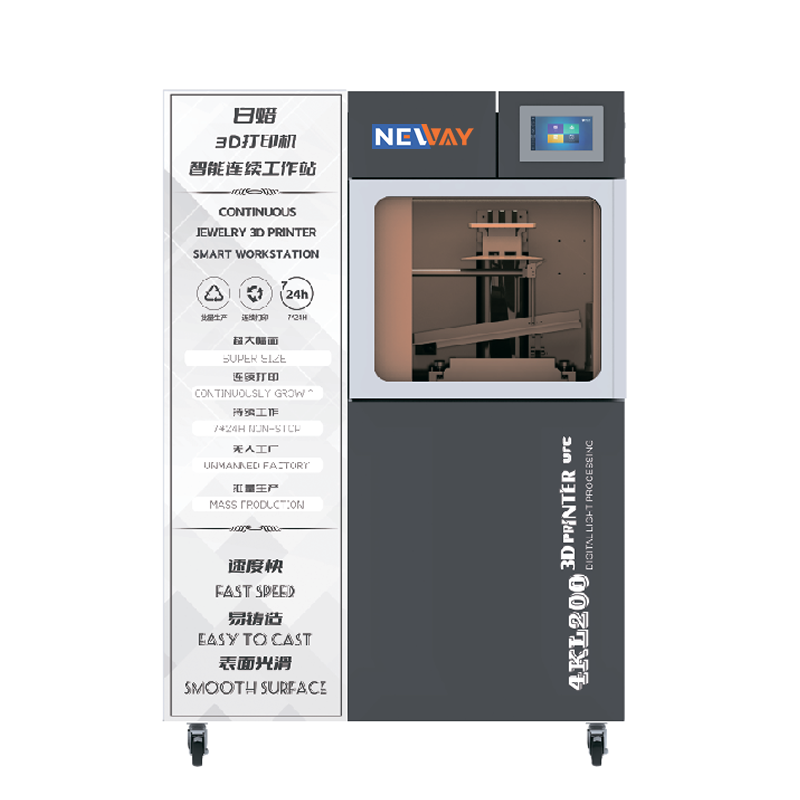
DLP stands for Digital Light Processing. It is a technology that uses digital micromirror devices to project light patterns, often used in display and imaging applications.A DLP 3D printer is a type of 3D printer that utilizes DLP technology to cure resin layer by layer. It projects a light pattern onto the resin, causing it to solidify in the desired shape, and then builds up the object layer by layer. This method is known for its high precision and relatively fast printing speed.

NEWAY, a high-tech enterprise from China, has been providing professional 3D printers and materials for various industries, including jewelry, toys, dentistry, and medical fields, since 2015.
Useful Links
Products
Contact Us
Tel: +86 519-88011818
Phone: +86-18112582262
Email: [email protected]
Add: F2 Building 6A Jintong National Industrial Park No.8 Xihu Road Wujin District Changzhou City Jiangsu Province China
