
Please fill out the form below to request a quote or to request more information about us. please be as detailed as possible in your message, and we will get back to you as soon as possible with a response. we're ready to start working on your new project, contact us now to get started.
What is the Best 3D Printer for Beginners? The Ultimate 2025 Breakdown
2026-07-20
NEWAY
46
Are you a beginner looking for the best 3D printer? Look no further! In this comprehensive guide, we will help you find the perfect machine to get started. We'll break down the best 3D printers for beginners in 2025, focusing on ease of use, features, and reliability. Specifically, we'll take a deep dive into the NEWAY 3D printer and its advantages for first-time users. Ready to begin your 3D printing journey?
Why Choose a 3D Printer?
3D printing is an exciting and innovative technology that has opened up new possibilities for makers, hobbyists, and professionals alike. For beginners, choosing the right 3D printer can set the foundation for a rewarding and enjoyable hobby. Understanding the benefits of 3D printing can help you decide if it's the right choice for you:
- Versatility and Applications: 3D printing allows you to create a wide range of objects, from household items to intricate models and prototypes. It's perfect for DIY projects, custom parts, and even educational purposes.
- Cost-Effective: While initial setup costs can be high, 3D printing can save money in the long run, especially when you need to replace small parts or create custom components.
- Educational Value: For beginners, 3D printing can be a valuable learning tool, enhancing skills in design, problem-solving, and technology.
Understanding 3D Printer Types
Before diving into specific models, it's important to understand the different types of 3D printers. The main categories include:
- Fused Deposition Modeling (FDM): FDM printers are the most common type for beginners. They use thermoplastic filament to build layers, are relatively affordable, and can produce excellent results with proper setup and maintenance.
- Stereolithography (SLA): SLA printers use liquid resin and a laser to solidify layers. While more expensive, they offer higher resolution and smoother prints.
- Selective Laser Sintering (SLS): SLS printers use powdered materials and laser sintering to create parts. They are primarily used in industrial settings due to the complexity and cost.
For beginners, FDM printers are the best choice as they are more user-friendly, affordable, and widely available in the market.
Types of 3D Printers Comparison Table
| Type | Fused Deposition Modeling (FDM) | Stereolithography (SLA) | Selective Laser Sintering (SLS) |
|---|---|---|---|
| Cost | Affordable | Mid to High | High |
| Complexity | Low | High | Very High |
| Resolution | Variable | High | High |
| Material | Thermoplastics | Resin | Powdered Materials |
| Use Case | Hobbyists, Education, Prototyping | Professional, High Accuracy | Industrial, High Detail |
Key Features to Consider for Beginners
When selecting a 3D printer, several key features are crucial for beginners. These features not only impact the quality of prints but also the ease of use:
- Resolution: Higher resolution results in finer details and smoother surfaces.
- Print Speed: Faster print speeds can save time, but may sacrifice quality.
- Build Volume: Larger build volumes allow for printing larger objects.
- Ease of Use: Simple user interfaces and auto-bed leveling make setup and maintenance easier.
- Auto Bed Leveling: Ensures consistent prints and reduces initial setup time.
- User Interface: Intuitive controls and software help beginners navigate the printing process.
Auto Bed Leveling
Auto bed leveling is a crucial feature for beginners, as it ensures the bed surface is perfectly level, resulting in consistent and accurate prints. The NEWAY 3D printer is equipped with advanced auto-bed leveling technology, making it easier to achieve perfect prints every time.
NEWAY 3D Printer Review
The NEWAY 3D printer stands out as a top choice for beginners due to its user-friendly design, reliability, and advanced features:
- Ease of Use: NEWAY's user interface is designed to be intuitive, with step-by-step guidance for setup and operation.
- Resolution and Precision: NEWAY achieves impressive resolution and detail, making it suitable for a wide range of projects.
- Auto Bed Leveling: The auto-bed leveling feature ensures consistent and accurate prints, reducing frustration for beginners.
- Build Volume: With a generous build volume, NEWAY can handle medium to large prints comfortably.
User Testimonials:
"I've been using the NEWAY 3D printer for a few months now, and it's absolutely fantastic for beginners. The auto-bed leveling feature is a game-changer, and the prints come out perfectly every time. Highly recommend!"
- John D., First-Time User
Competitor Comparison
To help you make an informed decision, let's compare the NEWAY 3D printer with some of the top contenders in the market:
| Feature | NEWAY | Creality Ender 3 Pro | Prusa MINI+ SE | Monoprice Voxel Impact |
|---|---|---|---|---|
| Cost | Mid-range | Affordable | Mid-range | Mid-range |
| Resolution | 0.2mm - 0.4mm | 0.1mm - 0.4mm | 0.1mm | 0.1mm |
| Build Volume | 300x300x400mm | 220x220x250mm | 175x175x200mm | 300x300x300mm |
| Auto Bed Leveling | Yes | Yes | Yes | Yes |
| User Interface | Intuitive | Basic | Advanced | Advanced |
Pros and Cons of NEWAY 3D Printer
Pros
- User-Friendly Interface: NEWAY's easy-to-use interface makes setup and operation a breeze.
- Auto Bed Leveling: Ensures consistent and accurate prints.
- Reliability: Proven track record of reliability and consistent performance.
- Build Volume: Large enough for medium to large prints, suitable for various projects.
- Resolution: Achieves excellent detail and precision.
Cons
- Cost: While competitive, NEWAY is slightly more expensive than some budget options.
- Initial Setup: While easy, some initial setup may be necessary to achieve optimal performance.
User Testimonials and Reviews
Testimonial 1
"I was hesitant to purchase a 3D printer as a beginner, but the NEWAY really exceeded my expectations. The auto-bed leveling and user-friendly interface made the setup incredibly easy. I've already printed several household items and prototypes, and the quality has been fantastic!"- Sarah N., First-Time User
Testimonial 2
"The NEWAY has been a godsend for my DIY projects. The quick setup and intuitive interface make it perfect for beginners. The prints are extremely detailed and the auto-bed leveling feature is a huge plus. Highly recommend it to anyone looking to get into 3D printing."- Michael R., Hobbyist
Testimonial 3
"As a beginner, the NEWAY has been a game-changer. The user interface is incredibly easy to understand, and the auto-bed leveling feature makes setup effortless. I've been able to produce high-quality prints from day one, which has been very rewarding."- Emily H., Maker
Buying Guide for Beginners
Step-by-Step Guide
- Choosing the Right Printer: Consider your needs, budget, and experience level. For beginners, a user-friendly FDM printer like the NEWAY is a great choice.
- Setup: Follow the setup instructions carefully. Ensure all components are installed correctly, and the bed is level.
- Calibration: Calibrate the printer to ensure optimal performance. This includes leveling the bed, setting the Z-offset, and tuning the extruder.
- Software: Install the appropriate slicing software (like Cura or Simplify3D). Configure the settings according to your printer and material.
- Print Quality: Start with simple prints to test the printer's performance. Gradually move to more complex designs as you become more comfortable.
- Maintenance: Regularly maintain the printer to ensure consistent performance. This includes cleaning the bed, leveling the bed, and replacing parts as needed.
Tips for Beginners
- Start Simple: Begin with basic prints to familiarize yourself with the printer's capabilities.
- Use High-Quality Materials: Invest in quality filament to achieve better print quality.
- Follow Guides: Utilize online resources and tutorials to familiarize yourself with the printer's features.
- Join Communities: Engage with communities like Reddit's r/3Dprinting or local makerspaces to get advice and support.
Maintenance Tips
- Clean Bed Regularly: Use isopropyl alcohol or a bed cleaning solution to keep the bed clean and free of debris.
- Check Print Quality: Monitor the print quality regularly to ensure consistent prints.
- Check Filament Quality: Use high-quality filament to avoid print issues.
- Update Firmware: Keep the firmware updated to ensure optimal performance.
Conclusion
In conclusion, the NEWAY 3D printer stands out as an excellent choice for beginners. With its user-friendly interface, robust auto-bed leveling, and quality prints, it makes the 3D printing journey seamless and rewarding. If you're looking for a reliable and easy-to-use 3D printer, the NEWAY is an excellent place to start.
Whether you're a hobbyist, maker, or just beginning to explore 3D printing, the NEWAY provides the tools and features you need to succeed. We hope this comprehensive guide has helped you understand the key factors to consider when choosing a 3D printer and why the NEWAY is a standout option. Happy printing!
Table of Contents
GET IN TOUCH WITH Us
recommended articles
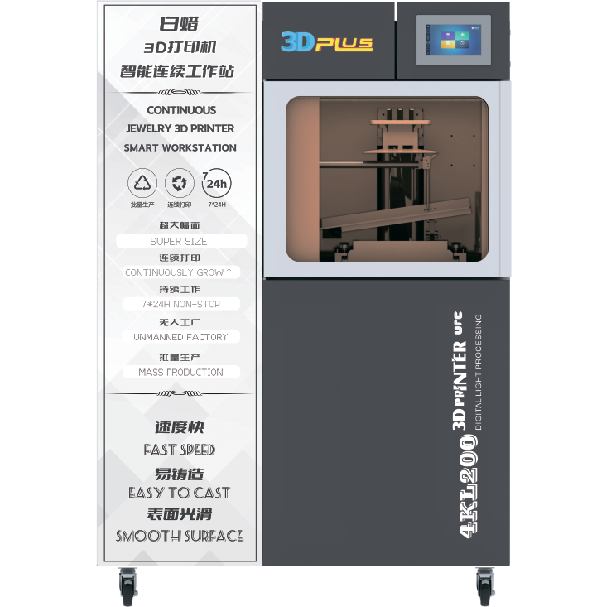
The white wax machine is a specialized device used for creating high-precision wax models. It is widely used in industries such as jewelry making, dental prosthetics, and industrial prototyping. Its key characteristics include high precision in model production, a stable and reliable operation, user-friendly controls, versatility in handling different materials and shapes, and efficient production capabilities.
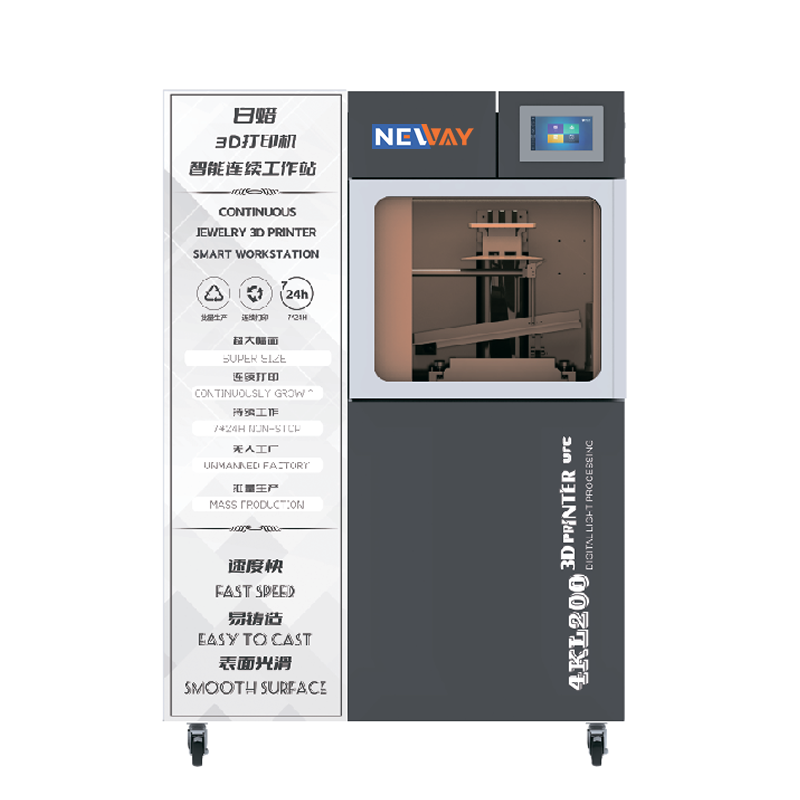
DLP stands for Digital Light Processing. It is a technology that uses digital micromirror devices to project light patterns, often used in display and imaging applications.A DLP 3D printer is a type of 3D printer that utilizes DLP technology to cure resin layer by layer. It projects a light pattern onto the resin, causing it to solidify in the desired shape, and then builds up the object layer by layer. This method is known for its high precision and relatively fast printing speed.

NEWAY, a high-tech enterprise from China, has been providing professional 3D printers and materials for various industries, including jewelry, toys, dentistry, and medical fields, since 2015.
Useful Links
Products
Contact Us
Tel: +86 519-88011818
Phone: +86-18112582262
Email: [email protected]
Add: F2 Building 6A Jintong National Industrial Park No.8 Xihu Road Wujin District Changzhou City Jiangsu Province China
